

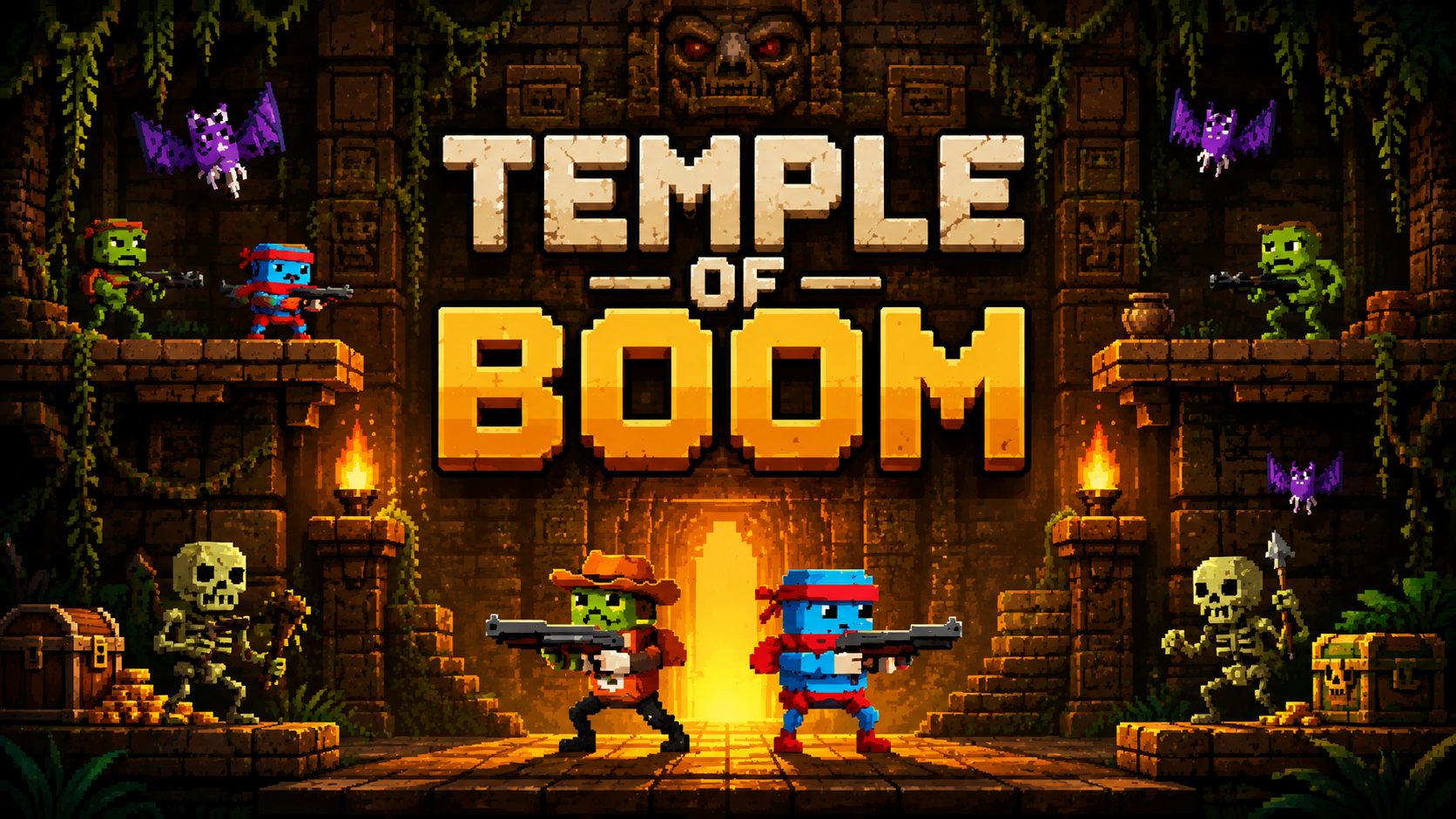
If you have been searching for everything about Temple of Boom, you are looking at one of the most popular arcade shooters available to play directly in your browser. This guide covers exactly how the game works, every control scheme for both single- and two-player modes, what makes it fun, and how to fix the most common problems players run into while playing.
Temple of Boom has built a loyal following by stripping gameplay down to something simple and addictive: survive, shoot, and outlast everyone else standing in your way. Whether you are playing solo or bringing a friend along for local two-player combat, this guide gets you fully prepared before you step into the temple.
What Is Temple of Boom?
Temple of Boom is a fast-paced, retro-styled platform arena shooter built by Colin Lane Games, a small one-person studio based in Stockholm, Sweden. The concept is simple on paper but genuinely tense in practice: you and your enemies are dropped into a pixel-art temple arena, and the only way out is to be the last one standing.
The game blends platforming mechanics, like jumping and double-jumping across uneven terrain, with shooter mechanics centered on collecting weapons scattered throughout the level. There is no complicated story or lengthy tutorial. You load in, grab a weapon, and start fighting almost immediately, which is exactly why the game has remained popular for casual gaming sessions.
How Many Game Modes Does Temple of Boom Have?
Temple of Boom features a small but well-designed set of modes that cover different play styles. Campaign mode takes you through three distinct temples, each with its own layout, hazards, and waves of enemies you need to survive before unlocking the next one. Endless mode strips away the structured progression and instead asks a simpler question: how long can you survive against a continuous stream of enemies?
There is also a dedicated two player mode, which lets a second person join in on the same screen using a separate set of keyboard controls. This mode can be played cooperatively against the temple’s enemies or competitively against each other, depending on how you and your friend want to play.
Temple of Boom Single Player Controls
Getting the controls right before you start is one of the most important steps for actually enjoying this game, since combat moves quickly and fumbling for the right key in the middle of a fight usually ends with you losing health you cannot afford to lose.
In single player mode, the Arrow Up key handles jumping, and pressing it twice in quick succession triggers a double jump, which is essential for reaching higher platforms or dodging enemy fire from below. The Left and Right Arrow keys move your character sideways across the arena. The Down Arrow key is used to pick up weapons from the ground or from treasure chests scattered around the level. The Z key fires your currently equipped weapon, and the X key switches between weapons you are carrying.
Getting comfortable switching weapons quickly with the X key is one of the biggest skill gaps between new players and experienced ones, since different weapons suit different enemy types and situations.
Temple of Boom Two Player Controls
Two player mode requires both players to use different sections of the same keyboard, since the game is designed for local same-screen multiplayer rather than separate devices.
Player one uses the W key to jump or double jump, the A and D keys to move left and right, the S key to pick up weapons, the C key to shoot, and the V key to switch weapons. Player two uses the standard Arrow Keys for movement and jumping, the Down Arrow to pick up weapons, the K key to shoot, and the L key to switch weapons.
Splitting the keyboard this way means both players need a bit of practice to avoid accidentally pressing the wrong key during fast combat sequences, but most players adjust within a few rounds.
What Weapons Are Available in Temple of Boom?
Weapon variety is one of the things that keeps Temple of Boom feeling fresh even after repeated playthroughs. You will find pistols as a reliable early option, shotguns for close range power, crossbows for a different firing rhythm, bazookas for area damage, and blade launchers and phaser rifles for more unique attack patterns.
Weapons are found inside treasure chests placed throughout each temple, encouraging exploration rather than simply standing in one spot and shooting. Picking up a new weapon from a chest typically means a meaningful upgrade over your current one, so prioritizing chest locations during a run is a smart strategy.
How Does Combat Work in Temple of Boom?
Combat in Temple of Boom follows a guerrilla-style approach rather than a straightforward shootout. You are encouraged to use platforms, walls, and elevation to your advantage, hiding from incoming fire and then popping out to land a sneak attack before retreating again.
Enemies vary in type and behavior. Some are simple bipedal monsters that approach directly, while others, like the robed figures and giant spiders, can climb walls or move in less predictable patterns. Losing all of your health points ends your run, so managing positioning and avoiding unnecessary exposure to enemy fire matters more than just aggressively rushing forward.
How Many Temples Are There to Unlock?
The Campaign mode is structured around three separate temples, each progressively more difficult than the last. You must successfully survive the first temple before the game unlocks access to the second, and the same progression applies before reaching the third. This structure gives the game a sense of forward momentum that pure Endless mode does not have, since you are working toward something concrete rather than just chasing a high score.
Each temple introduces its own visual theme and layout changes, keeping the platforming challenges from feeling repetitive across your full playthrough.
📥 Download Temple of Boom on Google Play
Endless Mode Explained
If Campaign mode is about progression, Endless mode is about pure survival. There is no fixed end point. Enemies keep coming in increasing numbers, and your only goal is to last as long as possible before your health runs out.
This mode tends to appeal to players who enjoy a more arcade-style, score-chasing experience rather than a structured story-like progression. It is also a great mode for quickly jumping in in for a short session without needing to commit to working through the full campaign.
How to Fix Temple of Boom Not Loading
If Temple of Boom is not loading properly in your browser, there are several straightforward fixes worth trying. Start by refreshing the page, since a simple reload resolves a surprising number of loading issues caused by temporary connection hiccups.
If refreshing does not help, clear your browser cache and cookies, since outdated cached files can sometimes conflict with the game’s current version and prevent it from loading correctly. Switching to an updated browser, such as the latest version of Chrome or Edge, also resolves compatibility issues, since the game relies on modern web technology that older browser versions may not fully support.
Disabling ad blockers or other browser extensions temporarily can also help, since these tools occasionally interfere with the scripts that browser-based games depend on to run properly.
How to Fix Controls Not Responding
If your keyboard inputs are not registering correctly during gameplay, the most common cause is simply clicking outside the game window, which can cause the browser to lose focus on the game itself. Clicking directly inside the game area before attempting to move usually resolves this immediately.
If controls still feel unresponsive after that, check whether any other application running in the background is intercepting keyboard shortcuts, since some software can conflict with browser-based games that rely on specific key presses for movement and actions.
Where Can You Play Temple of Boom?
Temple of Boom is widely available across multiple browser gaming platforms, and the experience is largely identical no matter where you access it, since the underlying game itself does not change between hosting sites. The game works on desktop browsers and Chromebooks, and no download or installation is required, as it runs entirely via HTML5 directly in your browser tab.
If you enjoy fast-paced arcade shooters like Temple of Boom and want to stay updated on similar titles, reviews, and gaming guides, gaming news platforms like Exposed Game regularly cover action and shooter game content worth checking out.
Tips for Surviving Longer in Temple of Boom
Prioritizing weapon upgrades early in a run makes a significant difference in how long you can survive, since starting weapons tend to be weaker than what you can find in treasure chests scattered around each temple. Using elevation and platforms to break line of sight with enemies before retaliating is consistently more effective than standing in the open and trading shots directly.
Switching weapons situationally rather than sticking with one favorite throughout the entire run also helps, since certain weapons handle specific enemy types far more efficiently than others. For more action and shooter game guides like this one, Exposed Game covers a wide range of titles with detailed strategy breakdowns.
Frequently Asked Questions
What are the controls for Temple of Boom in single player mode?
In single player mode, use the Arrow Up key to jump or double jump, the Left and Right Arrow keys to move sideways, the Down Arrow key to pick up weapons, the Z key to shoot, and the X key to switch weapons.
Can two people play Temple of Boom at the same time?
Yes, Temple of Boom supports a two player mode where both players share the same keyboard. Player one uses WASD-style controls with C to shoot and V to switch weapons, while player two uses the Arrow Keys with K to shoot and L to switch weapons.
Why is Temple of Boom not loading in my browser?
Common causes include a weak internet connection, an outdated browser, or cached files conflicting with the game. Refreshing the page, clearing your browser cache, and updating your browser to the latest version usually resolves the issue.
Does Temple of Boom require a download?
No, Temple of Boom runs entirely through HTML5 directly in your browser. There is no download or installation required, and it works across desktop browsers as well as Chromebooks.
How many temples are in Temple of Boom’s Campaign mode?
Campaign mode features three temples that you unlock progressively. You must survive each temple before gaining access to the next one, with each temple becoming more challenging than the last.
Conclusion
Temple of Boom delivers a genuinely satisfying arcade shooter experience built around simple controls, varied weapons, and tense survival-based combat. Whether you prefer working through the three temples of Campaign mode or testing your limits in Endless mode, understanding the controls and common fixes covered in this guide should have you playing smoothly without any frustrating interruptions.
