

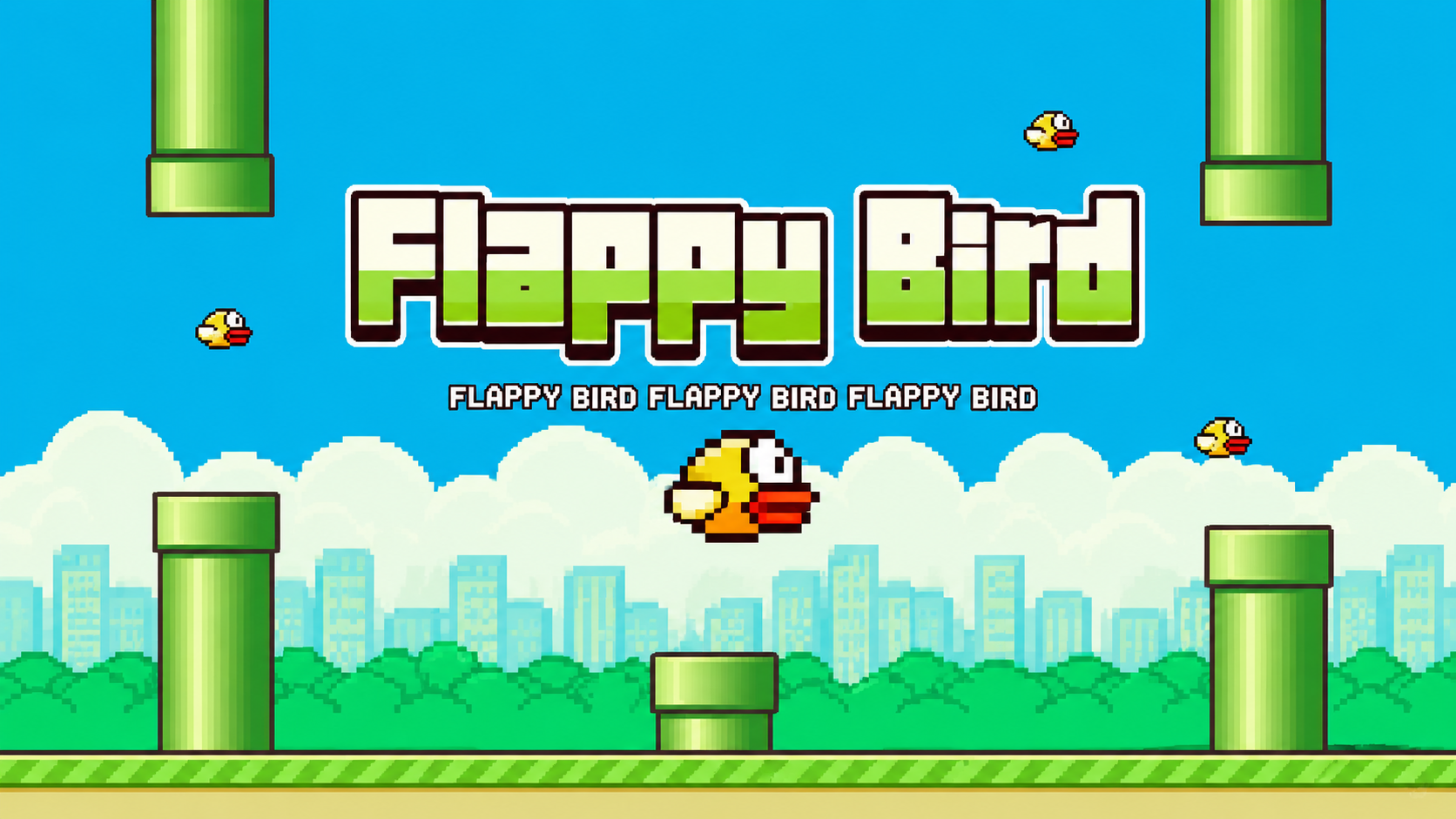
If you have searched for Flappy Bird, chances are you already know the basic idea: tap, flap, survive. But there is more to this tiny game than most people realize, from its surprising origin story to the small details that separate a beginner from someone who can actually hold a high score. This guide covers everything about Flappy Bird in one place, including its history, how the mechanics actually work, the controls across different devices, and what to do when the game refuses to load or behave properly.
Few games in mobile history have managed to be this simple and this maddening at the same time. Understanding exactly how it works is the fastest way to stop rage-quitting and actually start improving.
What Is Flappy Bird?
Flappy Bird is a minimalist arcade game built around a single mechanic. The game was developed by Vietnamese programmer Dong Nguyen and quickly became one of the most downloaded apps in the world after its release. The premise could not be simpler: guide a small bird through an endless series of green pipes by tapping the screen, and avoid crashing into anything along the way.
There is no story, no levels, no power-ups, and no real progression system. The game focuses purely on the player’s skill and persistence, and it is a perfect example of being easy to learn but genuinely hard to master. That stripped-down simplicity is exactly what made it spread so quickly, since anyone could understand the rules within seconds of opening it.
The History of Flappy Bird
Flappy Bird was actually released quietly in May 2013, but initially received very little attention from players. For several months, almost nobody noticed it existed. Then, seemingly out of nowhere, the game exploded in popularity in early 2014, becoming one of the most talked about apps on the planet almost overnight.
At the height of its popularity, the game was reportedly earning close to $50,000 a day from in-app advertisements alone, and it became the most downloaded game on the iOS App Store.
The story took an unusual turn shortly after that success. On February 8, 2014, Dong Nguyen made the surprising decision to remove the game entirely from app stores. He cited the overwhelming attention and pressure the game’s popularity had brought into his life, along with concerns about how addictive the game had become for some players. The removal only added to the game’s legendary status, and countless clones and imitators flooded app stores in the months that followed, none of which quite captured the same magic as the original.
How Does Flappy Bird Gameplay Work?
Flappy Bird uses a simple tap-to-fly system. You control a small bird that moves forward automatically on its own, and each tap makes it flap its wings and rise slightly. The moment you stop tapping, gravity takes over and the bird begins to fall.
Your only job is to guide the bird through the gaps between pairs of green pipes without making contact with them. Every time the bird successfully passes through a gap, the player earns one point, and there is technically no end to the game, since the pipe forest continues indefinitely until you eventually crash.
What makes this deceptively difficult is the physics underneath the simple visuals. The bird’s vertical velocity changes instantly with each tap, with no gradual acceleration period, which means precise timing is far more important than most players initially expect. A tap that comes a fraction of a second too early or too late is often the difference between passing through cleanly and crashing straight into a pipe.
Flappy Bird Controls on Mobile Devices
On mobile, the controls could not be more straightforward. Flying simply requires tapping the screen with your finger, and tapping faster makes the bird fly higher. There are no buttons to memorize, no menus to navigate mid-game, and no alternate control schemes to worry about.
The simplicity is the entire point. You tap anywhere on the screen to make the bird flap its wings, and timing your taps precisely is what allows you to navigate safely through the gaps in the pipes. Mastering this single input is genuinely the entire skill ceiling of the game, which is part of why it remains so replayable.
Flappy Bird Controls on PC and Browser
If you are playing a browser-based version of Flappy Bird rather than the original mobile app, the controls shift slightly to accommodate a keyboard-and-mouse setup. On PC, pressing the spacebar makes the bird flap upward, which functions identically to a tap on mobile.
Some browser versions also support additional inputs. Certain versions allow players to flap using the Space bar, the W key, or a left mouse click, giving a bit more flexibility depending on what feels most comfortable. Whichever input method you choose, the underlying mechanic stays exactly the same: one press equals one flap.
Why Is Flappy Bird So Addictive?
Part of what makes Flappy Bird so compelling is its combination of simple and addictive gameplay that keeps players engaged despite, or perhaps because of, its difficulty. The game gives you almost nothing to think about strategically, which paradoxically makes losing feel entirely your own fault rather than the game’s.
Several factors contributed to its viral spread: the notoriously difficult gameplay created a constant “just one more try” mentality, the minimalist pixel art design felt nostalgic and reminiscent of early console games, and players loved comparing their high scores against friends on social media.
That last point mattered more than people often realize. Flappy Bird arrived at a moment when sharing a screenshot of your score felt like a genuine bragging right, and that social competitive layer kept people coming back long after the gameplay itself had become familiar.
Download Flappy Bird
Want to enjoy the classic Flappy Bird experience on your Android device? Download the latest version of Flappy Bird from the official Google Play Store using the button below.
📥 Download Flappy Bird
Tips for Improving Your Flappy Bird Score
Getting better at Flappy Bird comes down almost entirely to rhythm and patience rather than any hidden trick. Focusing on maintaining a steady rhythm with your taps helps keep the bird level, and using controlled, timed taps rather than rapid mashing makes navigating through tight gaps significantly easier.
A few other habits genuinely help over time. Taking short breaks when you feel frustrated prevents the kind of tilted, rushed tapping that usually leads to an early crash, and staying calm and focused leads to noticeably better decision making during tight pipe gaps.
Watching footage of experienced players online can also help, since observing their tap timing and rhythm reveals patterns and small adjustments that are difficult to notice just from playing alone. Beyond that, there is genuinely no substitute for repetition. The muscle memory required to consistently judge gaps only comes from playing the game enough times to internalize the bird’s falling speed.
Common Flappy Bird Variations and Clones
After the original was pulled from app stores, the gap it left behind was filled almost immediately by a wave of similar games. Many of these clones kept the exact tap-to-fly mechanic while changing the visual theme, swapping the bird for different characters or the pipes for different obstacles entirely.
Some browser-based versions recreate the original pixel art style closely, aiming to replicate the nostalgic feel as faithfully as possible. Others take creative liberties with the art style while keeping the core gameplay loop completely intact. Regardless of the skin applied on top, virtually every clone follows the same underlying formula that made the original work: one simple input, unforgiving physics, and an endless stream of obstacles.
How to Fix Flappy Bird Not Loading
If you are trying to play a browser version of Flappy Bird and it refuses to load, there are a handful of straightforward fixes worth trying before assuming something is fundamentally broken. Start by simply refreshing the page, since many loading failures are caused by temporary connection hiccups that a reload resolves instantly.
If refreshing does not help, clear your browser cache and cookies, since outdated cached game files occasionally conflict with the current version hosted on the site. Switching to an updated browser also resolves a surprising number of loading issues, particularly since many browser-based versions rely on modern HTML5 technology that older or outdated browsers may not fully support.
Temporarily disabling ad blockers and other browser extensions is another effective fix, since these tools sometimes interfere with the scripts that browser games rely on to function properly.
How to Fix Flappy Bird Controls Not Responding
If your taps or key presses are not registering during gameplay, the most common cause is the browser tab losing focus on the game window itself. Clicking directly inside the game area before attempting to play almost always resolves this immediately.
If the controls still feel unresponsive after that, check whether another application running in the background is intercepting your keyboard input, since certain software can conflict with browser games that rely on specific key presses, such as the spacebar, for core actions.
Where Can You Play Flappy Bird Today?
Although the original app was removed from official app stores back in 2014, browser-based recreations of Flappy Bird remain widely available and let you experience the same core gameplay without needing to download anything. These versions run directly in your browser via HTML5, meaning they work across desktop, mobile, and Chromebook devices without installation.
If you enjoy quick, addictive arcade games like Flappy Bird and want to discover similar titles, reviews, and gaming guides, gaming platforms like Exposed Game regularly cover arcade and browser game content worth exploring.
Flappy Bird vs Similar Arcade Games
Flappy Bird is often compared to other mobile hits from the same era, though the comparison usually highlights just how different its approach really was. Unlike side-scrolling games such as Angry Birds, Flappy Bird has no scrolling camera, no levels, and no story progression of any kind. Unlike endless runners such as Temple Run, it strips away nearly every layer of complexity, leaving only the core challenge of timing.
This relentless minimalism is exactly what separates Flappy Bird from its peers. Where most arcade games try to add variety through new mechanics, power-ups, or environments, Flappy Bird succeeds specifically by refusing to add anything at all. For more arcade and browser game guides covering titles with similarly addictive gameplay loops, Exposed Game breaks down what makes each one worth playing.
Frequently Asked Questions
How do you play Flappy Bird?
You play Flappy Bird by tapping the screen on mobile, or pressing the spacebar on PC, to make a small bird flap its wings and rise. The bird falls automatically due to gravity, so you must time your taps carefully to guide it through gaps between pipes without crashing.
Why was Flappy Bird removed from app stores?
Developer Dong Nguyen voluntarily removed Flappy Bird from app stores in February 2014, citing the overwhelming attention the game’s sudden popularity brought into his personal life, along with concerns about how addictive the gameplay had become for some players.
Can you still play Flappy Bird in 2026?
Yes, while the original app is no longer available on official app stores, numerous browser-based recreations faithfully reproduce the original gameplay and remain freely accessible without any download required.
What are the controls for Flappy Bird on PC?
On most PC browser versions, pressing the spacebar makes the bird flap upward. Some versions also support the W key or a left mouse click as alternative inputs, though the spacebar remains the most commonly used control.
Why is Flappy Bird so difficult?
Flappy Bird is difficult because the bird’s flight physics change instantly with each tap, with no gradual acceleration. This demands extremely precise timing, and even a tap that is a fraction of a second early or late is often enough to cause a crash into a pipe.
Conclusion
Flappy Bird remains one of the most influential examples of minimalist game design in mobile history, proving that a single well-tuned mechanic can be more compelling than dozens of complex features layered on top of each other. Understanding the timing-based physics, practicing a steady tapping rhythm, and knowing how to troubleshoot common loading or control issues will have you navigating those pipes far more confidently than your first few attempts ever did.
For more arcade game guides, reviews, and recommendations for titles in the same spirit as Flappy Bird, Exposed Game is worth bookmarking for regular updates.
