

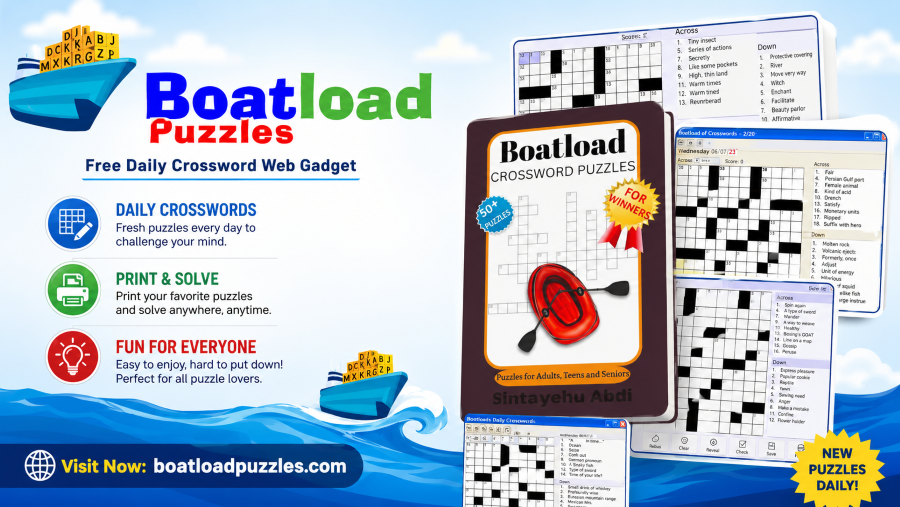
If you have searched for Boatload Puzzles, you have most likely stumbled onto one of the largest free crossword libraries available anywhere online. This guide walks through everything worth knowing about the platform, from how the puzzles actually work and what makes the site so popular with daily solvers to how to fix the handful of common problems players occasionally run into while playing.
Boatload Puzzles has built a quiet but loyal following over the years by doing something most modern puzzle apps have moved away from: keeping things simple. No subscriptions, no forced accounts, no aggressive monetization. Just a massive archive of crosswords ready whenever you want a quick mental workout.
What Is Boatload Puzzles?
Boatload Puzzles is an online crossword puzzle platform offering one of the largest free libraries of small thirteen by thirteen crosswords on the web, with over forty thousand puzzles available at no cost, catering to puzzle lovers who enjoy quick, daily brain teasers without the hassle of registration or payment.
The platform has been around for years, predating most of the polished puzzle apps that dominate app stores today. It markets itself plainly as the world’s largest supply of crossword puzzles, playable for free online, and built to be tablet and phone friendly from the ground up. That straightforward pitch has not changed much over time, and that consistency is a large part of why the platform has stuck around for so long.
How Many Puzzles Does Boatload Puzzles Actually Offer?
The scale of the puzzle library is genuinely one of the most impressive things about the platform. It offers a vast collection of over 40,000 small 13-by-13 crossword puzzles, ensuring that players always face a new challenge and that no puzzle ever repeats, keeping the experience consistently fresh.
To put that number into perspective, if you solved one new crossword every single day, it would take well over a century to exhaust the entire archive. Some versions of the platform’s puzzle collection have expanded even further, reportedly including up to one hundred thousand puzzles across different size categories, ranging from small thirteen-by-thirteen grids to larger nineteen-by-nineteen formats. Whatever the exact figure, the practical reality is that you genuinely will not run out of new content.
How Does Boatload Puzzles Work?
The platform keeps the actual mechanics of playing refreshingly uncomplicated. You solve puzzles on a grid by filling in words based on clues labeled Across and Down. Starting with the easier clues helps build momentum, and you can then use the letters you have already placed to help tackle the more difficult clues that remain.
This crosswise approach, where confirmed letters from one direction help unlock answers in the other, is the core strategy that makes crosswords satisfying to solve in the first place. Once you find a puzzle you want to play, you simply click into any square on the grid and begin typing, using your arrow keys on desktop or tapping directly on mobile to move smoothly between different clues.
If you happen to enter an incorrect letter, most puzzles let you clear individual squares or restart the entire grid without any penalty, which keeps the experience low-pressure even for newer solvers still building confidence.
What Makes Boatload Puzzles Different From Other Crossword Sites?
The single biggest differentiator is the complete absence of friction. There is no registration, no payment, and no installation required. You simply pick a puzzle and start solving, which broadens the platform’s appeal well beyond hardcore puzzle enthusiasts to anyone looking for a quick, satisfying mental challenge.
This stands in sharp contrast to many modern crossword apps that increasingly push subscription models. Unlike many crossword apps that have shifted toward subscription pricing, Boatload remains free and is supported only through minimal, non-intrusive advertising. For solvers who simply want to play without being funneled toward a paywall after their first few puzzles, that distinction matters quite a bit.
Daily Crossword vs the Full Archive
Boatload Puzzles structures its content around two main access points. There is a Daily Crossword feature that publishes a new puzzle every single day, which tends to be the most popular entry point for regular visitors, alongside a Previous Puzzles archive where you can select specific dates to replay earlier crosswords whenever you want.
This combination works well for two different types of players. If you enjoy the ritual of solving one fresh puzzle a day as part of a routine, the daily crossword scratches that itch perfectly. If you are someone who wants to binge through several puzzles in a single sitting, the archive gives you essentially unlimited material to work through without needing to wait for new content to appear.
Is Boatload Puzzles Good for Beginners?
Yes, and this is genuinely one of the platform’s biggest strengths. The puzzles are designed to be simple and enjoyable, deliberately featuring easy words instead of complex or obscure ones that might slow new solvers down.
Difficulty does scale across the platform though. Boatload offers multiple difficulty levels ranging from Easy through Medium, Hard, and Expert, so solvers who have built up some experience can progressively challenge themselves rather than staying stuck on beginner-level grids forever. Starting on the easier settings and working your way up as your vocabulary and pattern recognition improve is the most natural way to progress through the platform.
What Devices Does Boatload Puzzles Work On?
Cross-device compatibility is built into the platform’s core design. It is designed to run smoothly in any modern browser across desktop, mobile, or tablet, providing a light and accessible experience for users everywhere, and requires only a web browser and an internet connection with no download or installation needed.
This browser-first approach means you can start a puzzle on your phone during a commute and switch to a laptop later without needing to sync an account or worry about platform-specific versions. The mobile experience specifically includes a touch-friendly grid where zooming works smoothly, making it genuinely comfortable to solve puzzles even on smaller phone screens.
Tips for Solving Boatload Puzzles More Efficiently
Improving at crosswords is largely a matter of pattern recognition built up over repeated practice, but a few specific habits speed up that process considerably. Begin by solving the across or down answers you feel confident about first. Short, common words like “and,” “the,” or basic proper nouns are usually the fastest way to start opening up the grid.
From there, rotate consistently between across and down clues, since this crosswise mental motion helps unlock intersecting answers that might otherwise feel impossible to guess in isolation. If a particular clue has you stuck, moving on to solve the clues that intersect with it often provides enough letters to circle back and land on the correct answer with much more confidence.
Keeping a loose mental note of uncertain entries rather than committing to them permanently also helps, since marking a guess as tentative allows you to revisit and correct it later if crossing letters suggest a different answer is more likely. Many puzzles on the platform also include recurring thematic patterns around pop culture, history, or common idioms, which experienced solvers learn to recognize over time.
How to Fix Boatload Puzzles Not Loading
Occasionally, the site or a specific puzzle may fail to load correctly, and there are a few straightforward troubleshooting steps worth trying before assuming something is fundamentally broken. Start by refreshing the page directly, since a simple reload resolves a large percentage of temporary loading failures caused by brief connection interruptions.
If a refresh does not solve the problem, clearing your browser cache and cookies often helps, since outdated cached files can occasionally conflict with the current version of the puzzle grid being served. Switching to an updated, modern browser also resolves compatibility issues in many cases, particularly since the puzzle interface relies on web technology that older browser versions sometimes fail to render correctly.
How to Fix Mobile Display or Keyboard Issues
Mobile-specific problems occasionally come up, particularly around grid sizing or keyboard responsiveness. If the grid appears too small on your phone, switching your browser to desktop site mode through your browser settings menu often displays the puzzle at a more usable size, and combining that with a simple pinch-to-zoom gesture typically solves the readability issue entirely.
If your on-screen keyboard is not appearing or registering input correctly while trying to type answers, checking your browser settings to ensure keyboard input is properly allowed for the site usually resolves the issue. In most cases, simply tapping directly into an empty grid square before attempting to type fixes unresponsive keyboard behavior immediately.
Are There Alternatives Similar to Boatload Puzzles?
If you enjoy the style of quick, accessible puzzle solving that Boatload Puzzles offers, there are other browser-based gaming platforms worth exploring for similar casual, no-download experiences. For players who enjoy puzzle and brain games alongside other genres of casual browser entertainment, gaming platforms like Exposed Game regularly cover a wide range of titles worth checking out beyond just crosswords.
Why Has Boatload Puzzles Remained Popular for So Long?
In an online landscape where most platforms constantly redesign, rebrand, or push users toward paid tiers, Boatload Puzzles has taken the opposite approach. The site has never chased flashy redesigns or aggressive monetization gimmicks, and what users get today is largely what fans loved years ago: a brand-new crossword every day, multiple difficulty levels, and a clean, distraction-free interface with no pop-ups or forced logins.
That consistency has earned it a particular kind of loyalty. In a landscape where premium crossword subscriptions can cost several dollars a month and many competing free sites have become cluttered with intrusive advertising, Boatload’s simplicity keeps it genuinely beloved by students, seniors, teachers, and casual solvers alike. For players who simply want to solve a crossword without navigating a maze of upsells, that reliability is exactly the appeal. If you are looking for more casual browser games beyond puzzles, Exposed Game covers everything from arcade titles to strategy games worth exploring during your downtime.
Frequently Asked Questions
Is Boatload Puzzles completely free to play?
Yes, the puzzles are entirely free to play through the website. You may encounter occasional advertising, but there is no mandatory payment or subscription required to access the crossword library.
Do I need to register an account to play Boatload Puzzles?
No, registration is not required to play. You can open the site and start solving immediately. Some versions of the platform may offer optional registration for tracking progress, but it is not necessary for basic gameplay.
How many crossword puzzles does Boatload Puzzles have?
The platform offers over forty thousand small crossword puzzles in its core archive, with some extended versions of the puzzle collection reportedly reaching up to one hundred thousand puzzles when including larger grid sizes.
Can I play Boatload Puzzles on my phone?
Yes, the site is fully responsive and works smoothly on mobile browsers, with a touch-friendly grid designed specifically for smaller screens. The experience is sometimes even smoother on tablets due to the additional screen space.
What should I do if a puzzle will not load?
Try refreshing the page first, since this resolves most temporary loading issues. If that does not work, clear your browser cache and cookies, or try switching to an updated browser to resolve any compatibility problems.
Conclusion
Boatload Puzzles has earned its reputation as one of the most reliable, no-nonsense crossword destinations on the internet by sticking to a simple formula: a massive free archive, zero unnecessary friction, and an interface that has never needed flashy redesigns to stay relevant. Whether you are solving the Daily Crossword as part of a routine or working your way through the archive at your own pace, the platform delivers exactly what it promises without complications.
For more casual browser game guides and recommendations covering everything from puzzles to arcade classics, Exposed Game is worth bookmarking for regular updates.
Want to play crosswords on the go? Download the app for free.
